


 06-29-2008, 10:51 AM
|
||||
|
||||
|
Sprint Nav and full qwerty not working
I have the new rom and when i go to open my stock full qwerty keyboard in sprint nav it will open and instantly close again, then it will flash back up and then its gone again, this time for good. I have tried to do a hard restart, no luck. for now im gonna use a different version of telenav. Does anyone know a fix for this so i can use the touch telenav?
|


|
06-29-2008, 01:56 PM
|
||||
|
||||
|
Re: Sprint Nav and full qwerty not working
Change the keyboard in settings input to the stylus keyboard( just says keyboard) then soft reset...that worked for me.
|


|
06-29-2008, 02:07 PM
|
||||
|
||||
|
Re: Sprint Nav and full qwerty not working
yes, all the other keyboards work. but i would prefer to use the full QWERTY keyboard to make it easier to type with fingers.
|
|
06-29-2008, 02:59 PM
|
||||
|
||||
|
Re: Sprint Nav and full qwerty not working
i get the same problem, I always use the t9 on the keypad and I cant open none of the keyboards besides the regular little keyboard that we all avoid, and I got to exit out the app and open the sms so i can change the option there. seems like the "official rom" that dcd got for us isnt really "official with some bugs and unstableness....anybody is experiencing problems with their gps? I open sprint nav and then it gets a gps, then it doesnt, or it disconnects, or it connects but it doesnt show the maps, I live in NYC and I dont get these problems with my mogul that i got also, maybe sprint rushed on this rom. what u guys think
__________________
Phone: HTC White EVO ROoted
ROMS: OMJ or Fresh roms prefered KERNEL: Stock unreleased OTA Sprint 4g speed: 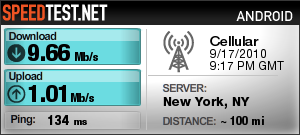 |


|
07-01-2008, 12:57 PM
|
||||
|
||||
|
Re: Sprint Nav and full qwerty not working
Quote:
|


|
07-01-2008, 01:09 PM
|
||||
|
||||
|
Re: Sprint Nav and full qwerty not working
im having the same problem with PCM keyboard. Hard reset and still no luck.
It works fine with Resco pro qwerty. Last edited by Reef48; 07-01-2008 at 06:11 PM. |



|
07-01-2008, 01:43 PM
|
||||
|
||||
|
Re: Sprint Nav and full qwerty not working
I had the same problem but noticed if you put in keypad mode it will go. It just doesn't like qwerty. You have to put it in keypad mode before you go into sprint nav
|
 |
|
«
Previous Thread
|
Next Thread
»
 Linear Mode

|
|

All times are GMT -4. The time now is 11:03 PM.


