SKTools update.. Thanks T M Z
http://www.s-k-tools.com/index.html?...ml#sktoolslogo

</IMG> 23 February 2009.
We are pleased that our product SKTools 4.4.7 are now logo certified for Windows Mobile™ Version 6. The Designed for Windows Mobile™ Version 6 logo indicates that a software product is fully functional on Designed for Windows Mobile™ devices and provides all the features outlined in "Designed for Windows Mobile™ 6 Professional Software Application Handbook". The logo is intended to inform users that the certified product complies with a set of criteria that ensures a convenient and predictable user experience.
 </IMG>
23 February 2009.
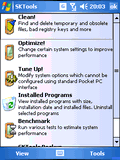
SKKV Software released SKTools 4.4.7.
In this version:
- Network Tools option added. With Ping, Trace Route, Port Scanner, Lookup, Whois (smart), Network information tools.
- "Installed programs": Find all applications - optional feature which shows executable files not registered in system as "installed". Only for WM5/WM6 devices.
- Extended screenshot function: now possible to save image in PNG format (if system support it, otherwise - BMP), added Tools -> Screenshot menu item, added path for screenshots in settings.
- fixed alternative registry backup path feature (registry cleaner)
This update are free for all registered SKTools 4.x users