View Single Post
  #1 (permalink)  
Old 11-17-2009, 04:37 AM
ruskiyab's Avatar
ruskiyab
Very Important Person
Offline
Location: St. Louis, MO
 
Join Date: Nov 2006
Posts: 958
Reputation: 3405
ruskiyab is still contributing even after becoming a VIPruskiyab is still contributing even after becoming a VIPruskiyab is still contributing even after becoming a VIPruskiyab is still contributing even after becoming a VIPruskiyab is still contributing even after becoming a VIPruskiyab is still contributing even after becoming a VIPruskiyab is still contributing even after becoming a VIPruskiyab is still contributing even after becoming a VIPruskiyab is still contributing even after becoming a VIPruskiyab is still contributing even after becoming a VIPruskiyab is still contributing even after becoming a VIP
Mentioned: 0 Post(s)
Tagged: 0 Thread(s)
[THEME][11/18/09] Lockscreen Port for CDMA Hero [Transparent Lockscreen Added]

I found out the hard way that this won't work for the CDMA hero (don't judge, I got my first Android phone last week) so I set out to port this to work on CDMA.

If you have some sort of custom these running, this may or may not break it, These are based on Modaco's 1.1

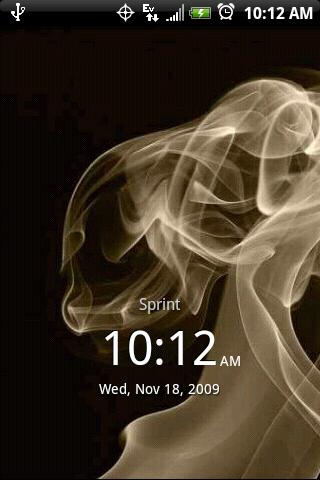
eViL Lockscreen Port:
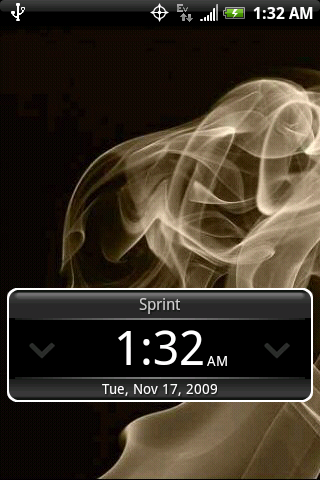

Transparent Lockscreen:


Please do nandroid backup before proceeding

Attached is com.htc.resources.apk that needs to be pushed to /system/framework

One way to do it is by copying com.htc.resources.apk to a directory called lockscreen on your sdcard, and using SDK tools

Code:
adb shell
mount -o remount,rw -t yaffs2 /dev/block/mtdblock3 /system
cp -r /sdcard/lockscreen/com.htc.resources.apk /system/framework/
reboot
Download:

eViL Port:

com.htc.resources.apk
update.zip Thanks to Thann

Transparent:
com.htc.resources.apk
update.zip

Enjoy

Last edited by ruskiyab; 11-18-2009 at 03:44 PM.
Reply With Quote
This post has been thanked 2 times.